
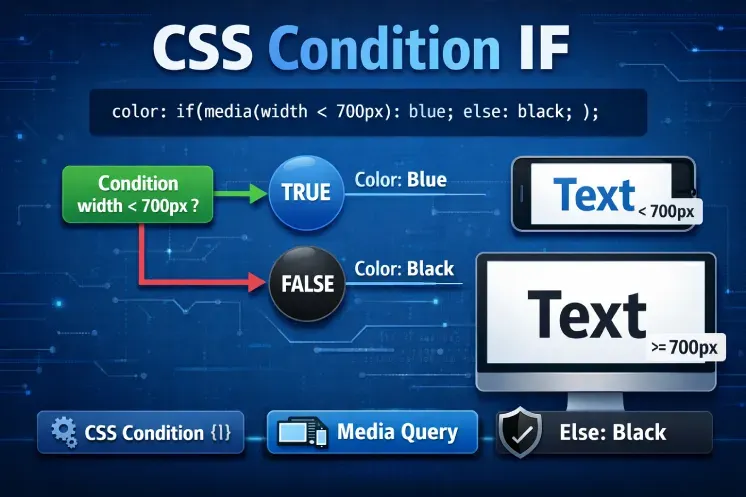
The CSS if() condition is a major step forward in modern CSS. For a long time, applying conditional logic in CSS required complex media queries or JavaScript intervention. Today, with the CSS if() condition, it’s possible to write conditional styles directly in CSS values.
This approach transforms the way we design dynamic interfaces, making conditional CSS more readable, declarative, and closer to the browser’s native logic.
What Is CSS Condition IF?
The CSS condition is an experimental function that allows you to define a value based on a condition. Essentially, it works like an if/else statement, but directly at the CSS level.
With this function, the browser evaluates multiple conditions and automatically applies the value corresponding to the first true condition, reducing code complexity and eliminating unnecessary JavaScript scripts.
Conditional CSS can rely on:
-
Media queries
-
Feature queries
-
CSS styles and variables
Syntax and How CSS if() Works
The if() syntax is based on a list of conditions followed by their values:
In the example below, conditions are evaluated in order. If a condition is true, its value is applied immediately. Otherwise, the else clause serves as a default:
This mechanism allows dynamic decisions without modifying HTML structure or adding external scripts.
CSS Conditions with Media Queries
Here, the CSS conditions automatically adapt the interface based on the viewport without external media queries.
CSS Conditions with Feature Queries
It’s also possible to use CSS conditions to test browser compatibility:
CSS Conditions with CSS Variables
CSS conditions can also define custom priorities:
Why CSS Condition IF Is a Major Advancement
CSS conditions provide several key benefits for modern development:
-
Reduced dependency on JavaScript – Conditional logic is integrated directly in CSS.
-
Improved readability and maintainability – Code is more structured and easier to manage.
-
Better performance – Styles are evaluated natively by the browser.
-
Centralized style logic – Developers can manage conditional logic directly in CSS files, enhancing project coherence and front-end architecture quality.
Limitations and Browser Support
Despite its advantages, CSS if() is still experimental and not supported by all browsers.
It’s essential to provide fallback values:
This ensures that styles remain functional even if if() is not supported.
When to Use CSS Condition IF
CSS conditions are particularly useful for:
-
Advanced responsive interfaces
-
Dynamic themes
-
Modern design systems
-
Reducing JavaScript-based styling
In these scenarios, conditional CSS improves maintainability and overall site performance.
Conclusion: The Future of Conditional CSS
CSS if() marks an important milestone in modern CSS development. It enables native, clear, and efficient conditional styling without relying on JavaScript.
Even though browser support is still limited, CSS conditions represent the future of conditional styling. Developers who master it today will gain a significant edge in creating modern, flexible, and optimized interfaces.
For a deeper understanding of CSS if(), explore different types of CSS conditions and follow updates on this experimental feature in the official MDN documentation: MDN CSS if() Reference