
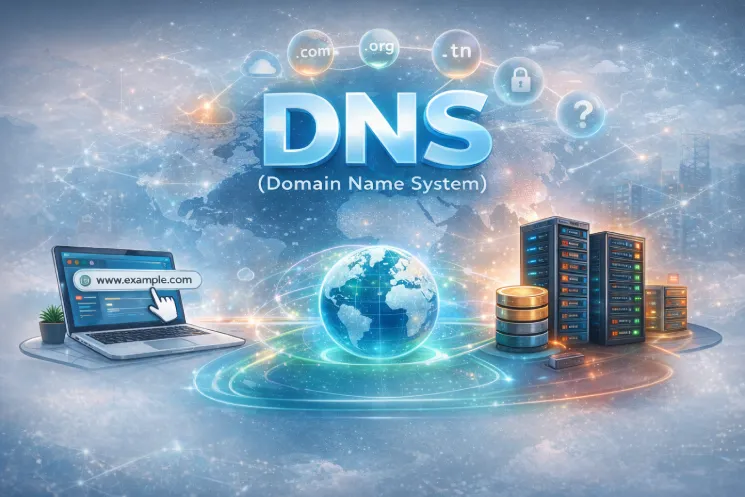
The DNS (Domain Name System) is one of the fundamental pillars of the Internet. Without DNS, it would be practically impossible to browse the web easily. The Domain Name System translates human-readable domain names into IP addresses that machines can understand.
In this comprehensive article, we will explain in detail how DNS works, why the Domain Name System is essential, what the most important DNS record types are, and what actually happens when a DNS query is performed.
DNS (Domain Name System): Definition and Importance
The DNS (Domain Name System) is a hierarchical and distributed system that maps a domain name to an IP address. In other words, DNS acts like the Internet’s phone book.
Instead of memorizing a complex IP address like 104.26.10.229, the Domain Name System allows you to use a simple name such as tekiera.com. DNS then translates this name into an IP address so that your browser can connect to the correct server.
Without DNS, the Internet would be much harder to use, as every user would have to memorize long and complex numerical addresses.
The DNS (Domain Name System) Hierarchy
The DNS (Domain Name System) relies on a well-organized hierarchical structure. This hierarchy ensures that DNS can function efficiently on a global scale.
TLDs (Top-Level Domains)
TLDs are the rightmost part of a domain name. For example, in the domain name tekiera.com, “.com” is the TLD.
There are two main categories:
-
gTLD (Generic Top-Level Domain): These are domain extensions not linked to a specific country, such as .com (commercial), .org (organization), .edu (education).
-
ccTLD (Country Code Top-Level Domain): These are extensions associated with a specific country, such as .tn (Tunisia), .fr (France), .ca (Canada).
Second-Level Domain
In tekiera.com, “.com” is the top-level domain (TLD) and “tekiera” is the second-level domain. When registering, the second-level domain is limited to 63 characters (excluding the TLD). It may contain only letters (a–z), numbers (0–9), and hyphens (-). It cannot begin or end with a hyphen, nor contain consecutive hyphens.
Subdomains
A subdomain is a part added to the left of the second-level domain, separated by a dot. For example, in services.tekiera.com, “services” is the subdomain. The creation rules are identical to those of the second-level domain: it is limited to 63 characters, allows only letters (a–z), numbers (0–9), and hyphens, and cannot begin or end with a hyphen or contain consecutive hyphens.
It is possible to use multiple subdomains separated by dots to create longer names, such as server.services.tekiera.com. However, the total length of a complete domain name must not exceed 253 characters.
Main DNS (Domain Name System) Record Types
The DNS (Domain Name System) includes several types of records, each with a specific role.
A Record
The A record maps a domain name to an IPv4 address.
DNS returns this address to allow connection to the server.
AAAA Record
The AAAA record works like the A record but for IPv6 addresses.
The Domain Name System thus supports new generations of IP addresses.
CNAME Record
The CNAME record allows one domain to point to another domain name.
Thanks to DNS, a subdomain can point to an external service without changing its URL. For example, if someone types the domain shop.tekiera.com, it can be redirected to stores.shopify.com.
MX Record
MX records define the servers responsible for handling email.
The Domain Name System ensures that emails reach the correct mail server.
TXT Record
TXT records store textual information, often used for security purposes (SPF, domain verification, etc.).
Here, DNS plays a key role in protecting against spam and identity spoofing.
How a DNS (Domain Name System) Query Actually Works
When you type an address like www.tekiera.com into your browser, everything seems instant. However, behind the scenes, the DNS (Domain Name System) performs a precise and hierarchical series of steps to transform that domain name into an IP address.
Let’s examine this in detail.
Step 1: Checking the Local Cache (Browser + System)
Before querying the Internet, your machine performs several local checks:
-
Browser cache: Browsers (Chrome, Firefox, etc.) temporarily store recent DNS resolutions.
-
Operating system cache: Windows, Linux, or macOS also maintain a local DNS cache.
-
Hosts file (highest priority): Your system also checks the hosts file, which may contain static mappings between domain names and IP addresses.
👉 If the IP address is found at one of these levels, the process stops here.
The DNS does not need to contact other servers.
Step 2: Query Sent to the Recursive DNS Server
If no information is found locally, your computer sends a request to a recursive DNS server.
This server is usually:
-
Your ISP’s DNS server
-
Or a public DNS service (Google DNS, Cloudflare DNS, etc.)
It is called “recursive” because it performs all the lookup work on your behalf within the Domain Name System.
The recursive server first checks its own cache:
✅ If the answer is cached → it returns it immediately.
❌ If not → it begins a full search through the DNS hierarchy.
Step 3: Contacting Root Servers
If the recursive server does not know the answer, it queries a root server.
Root servers are the starting point of the global Domain Name System.
They do not know the final IP address, but they know where to find the servers responsible for TLDs.
For example, for www.example.com:
-
The root server identifies the TLD .com
-
It responds: “I don’t know the IP address, but here is the server that manages .com domains.”
It then directs the query to the appropriate TLD server.
Step 4: Contacting the TLD Server
The TLD (Top-Level Domain) server, such as for .com, .org, or .tn, still does not know the final IP address.
Its role is to say: “Here is the authoritative DNS server that manages this domain.”
It returns the address of the domain’s authoritative nameserver.
Exemple :
example.com → ns1.exemple-dns.comThe Domain Name System then continues the query to this specific server.
Step 5: Contacting the Authoritative DNS Server
The authoritative DNS server is the one that actually contains the domain’s records:
-
A (IPv4)
-
AAAA (IPv6)
-
MX (email)
-
TXT
-
CNAME
-
etc.
This is where the final answer is found.
The authoritative server returns the requested record to the recursive server.
Step 6: Returning the Response to the Client
The recursive server:
-
Stores the response in its cache
-
Returns it to your computer
Your browser can finally establish a connection with the web server.
This entire process usually takes only a few milliseconds.
The Essential Role of TTL in DNS (Domain Name System)
Each DNS record has a value called TTL (Time To Live).
TTL is expressed in seconds and indicates how long a response can remain in cache before being considered expired.
Exemple :
TTL =3600This means the response can be stored for 1 hour.
Conclusion: Why the DNS (Domain Name System) Is Essential to the Internet
The DNS (Domain Name System) is much more than a simple technical mechanism: it is the invisible infrastructure that makes the Internet usable every day. Without DNS, we would have to memorize complex strings of numbers instead of simple domain names. Thanks to the Domain Name System, browsing becomes intuitive, fast, and accessible to everyone.
As we have seen, DNS relies on a solid hierarchical architecture composed of root servers, TLD servers, and authoritative servers. This organization allows the Domain Name System to operate on a global scale while ensuring performance and reliability.